Posts

Showing posts with the label Common Lab Issues

Arubanetworks Webgate - Copy and Paste instructions

Copy/Paste Text from local to remote  Copy/Paste from local to remote  You need to copy the text between local and remote devices as follows: Copy the text from your local machine as usual Press Ctrl+Alt+Shift to get the menu (don't do this on the network diagram, only on telnet / RDP sessions) on macOS, type Co ntrol+Option+Shift Paste the text in the box that shows on the menu (this copies the text to the remote server) Press Ctrl+Alt+Shift to close the menu (or do this after the next step) Right-click on the device to paste in telnet or paste normally in the remote RDP session Copy/Paste from remote to local To copy to your local machine from the remote switch reverse this: Select the text like you would with Putty Press Ctrl+Alt+Shift to get the menu (don't do this on the network diagram, only on telnet / RDP sessions) Copy text from box on menu Press Ctrl+Alt+Shift to close the menu (or do this after the next step) Paste as usual on your local PC Copy/Paste an Archive of ...
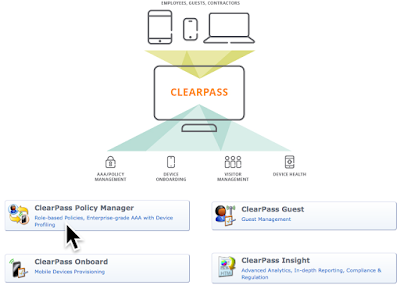
ClearPass 6.x Course Console Tips

Image
If your working in a lab environment and you want to have easy quick access to your equipment without hassle of repeated logon requests, you can do the following: Navigate to http://clearpass_ip/      Click on the "ClearPass Policy Manager".  Login using user/password = appadmin/eTIPS123  Click the Administration Tab on the left window pane.  Within Administration tab, click "Server Manager", then "Server Configuration"  At the top right of your screen, click "Cluster-Wide Parameters"  Within the popup windows, on the General tab, select "Admin Session Idle Timeout"  You can place a value between 5-1440 default is 30 minutes.  Set 1440 and click Save.

Certificate problems during login to ArubaOS in Student Lab Environment

Image
Certificate errors during login to Student Lab ArubaOS Controllers this one from Microsoft's Edge browser. This can happen with any browser depending on the state of your controllers server certificate. First you should try to click the bottom link that says: "Continue to this webpage (not recommended)" This will try to bypass the fact that your browser might not trust the signing authority of the CA that signed the certificate used for SSL by your Controllers web server. If you are using the default certificate included in the ArubaOS firmware, it may be a revoked certificate, and if your browser has determined that, you may not be able to continue to the web site unless you disable certificate checking altogether on your browser. Click here to read about this issue from Aruba's community support web site. If this is the case, some times when you click on the "Continue" link, nothing will happen. Warning: it is NOT recommended to di...

Popular posts from this blog

Arubanetworks Webgate - Copy and Paste instructions

Configuring HPE ANW ClearPass v25.23 (ACP2)

RF Optimisation in dense Lab deployments 8.0.1